We ship all across Europe. Standard products ship in 3 weeks.
Learn more
Menu
Get a Personalized Quote

Tell us what you're looking for and we'll create a quote tailored to your space, team and needs.

You'll receive:
  • A personalized recommendation
  • Clear pricing based on your request
  • A quick follow-up if we need more details
Persy One
For phone calls and video meetings.
€3999
(excl. shipping & VAT)
Persy Work
For deep-focus tasks and extended work sessions.
€4699
(excl. shipping & VAT)
Persy Two
For two-person meetings and video conferences.
€9499
(excl. shipping & VAT)
Persy Four
For small team catch-ups and discussions.
€11799
(excl. shipping & VAT)
You're All Set!
Thank you! Your request has been successfully submitted. We'll get back to you shortly with your personalized quote.
Close this window
Close this window
Oops! Something went wrong while submitting the form.
Download a Brochure
What you’ll find inside:
  • Product information
  • Product pricing
  • Technical information
Download a Brochure
You're All Set!
Thank you for your interest in Persy Booths! We've sent the brochure to the email address you provided. Please check your inbox for more information.
Oops! Something went wrong while submitting the form.
Download a Brochure
You're All Set!
Thank you for your interest in Persy Booths! We've sent the brochure to the email address you provided. Please check your inbox for more information.
Oops! Something went wrong while submitting the form.

Optimized Airflow Design
Each booth is engineered with strategically placed vents that maximize airflow efficiency, ensuring a comfortable environment for every user.

Consistent Temperature Management
Our advanced ventilation system helps regulate temperature, ensuring a comfortable climate that keeps you cool and focused during long sessions.

Whisper-Quiet Operation
Designed for a distraction-free experience, our ventilation system operates silently, allowing you to concentrate on your work without interruptions.

Soundproofed for confidentiality

Five Layers of Soundproofing Materials
Designed to absorb and reflect a wide range of sound frequencies, these layers work together to enhance overall sound isolation.

Rubber-Magnetic Door Seal
This seal ensures that even the smallest gaps are sealed tight, preventing sound leakage and enhancing privacy.

Double Acoustic-Grade Glass
Our high-quality glass not only allows natural light to enter but also significantly reduces sound transmission, maintaining a peaceful atmosphere.

Recycled PET Felt
This eco-friendly material absorbs sounds and echoes within the booth, ensuring a quiet environment for focused work and conversations.

Sound-treated ventilation channels
Every Persy Booth has sound traps in ventilation channels that absorb the sounds entering or escaping the booth through ventilation channels.

How to Run Effective Meetings: A Practical Best Practices Guide

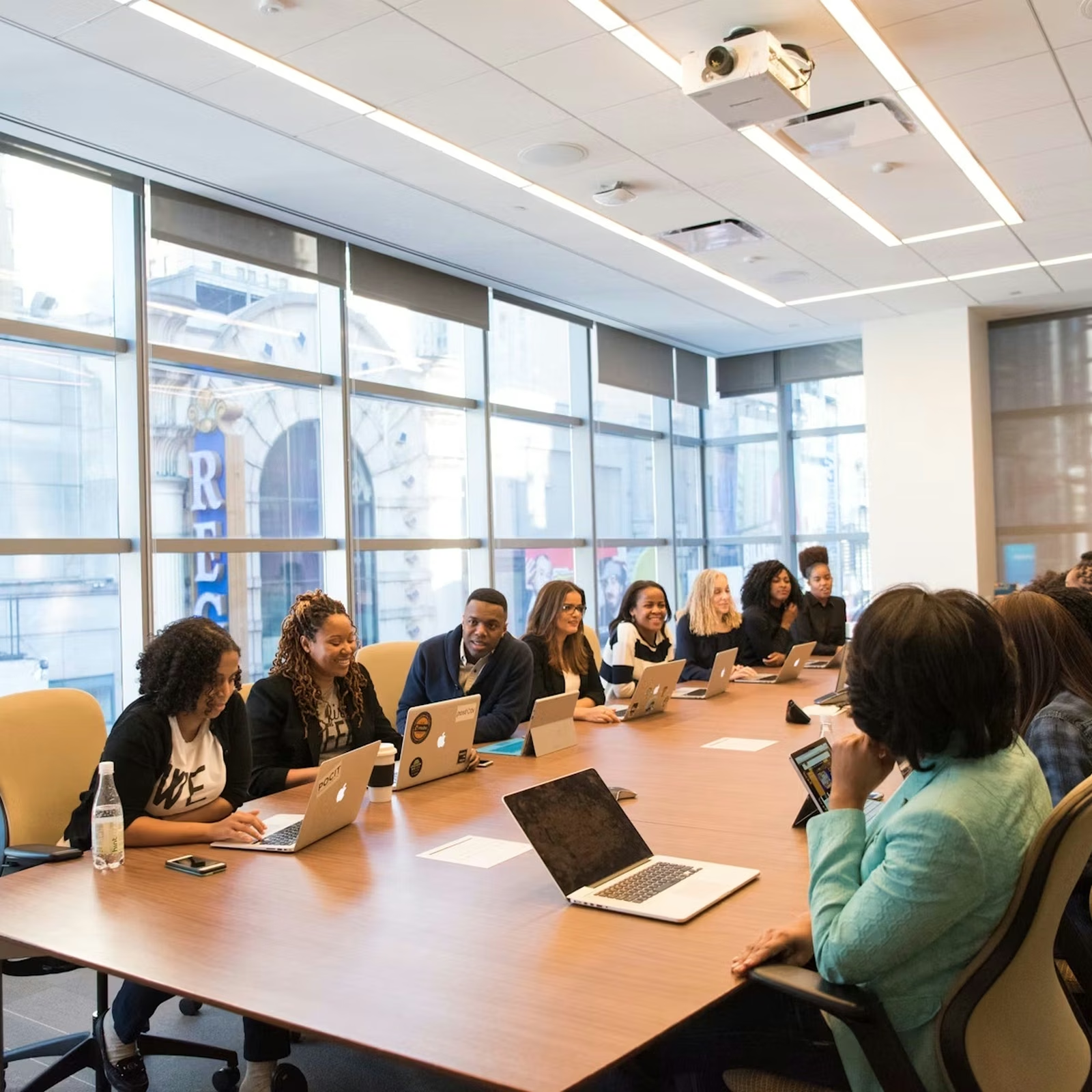
A diverse team of professionals having a collaborative meeting around a conference table in a bright modern office.

Effective meetings end with decisions made, next steps owned, and people leaving with energy instead of frustration. The difference between a focused session and a time sink usually comes down to a few habits anyone can learn. This guide walks through deciding whether to meet at all, preparing properly, assigning roles, running the discussion, following up, and choosing the right space, including the quiet office pods teams use for conversations that need real concentration.

{{key-takeaways}}

Quick Answer: How Do You Run an Effective Meeting?

Run an effective meeting by giving it a clear purpose, inviting only the people who need to be there, and working through a tight agenda. Keep the discussion on track, make decisions out loud, and assign owners to every action. Close by confirming what happens next, then send a short written summary so nothing gets lost.

What Makes a Meeting Effective?

An effective meeting is one that reaches its goal in the time allotted and leaves everyone clear on what comes next. It is judged by results, not by how busy it felt or how many topics it touched. A productive session moves a decision forward, solves a problem, or aligns a group on a plan. An unproductive one circles the same points, drifts off topic, and ends without anyone knowing who does what.

Three qualities separate the two. The meeting has a reason to exist that everyone understands. The people in the room are the ones who can actually contribute or decide. And it produces something concrete that other people can act on. When any of these is missing, the meeting tends to run long and deliver little. The sections below break each one down.

A Clear Purpose and Defined Outcome

Why are you meeting? If the answer is vague, the meeting will be too. Every meeting needs one stated reason and a defined outcome, whether that is a decision, a plan, or a shared understanding of a problem. Write the purpose as a sentence before you send the invite. If you cannot, you are not ready to meet. A clear outcome also tells you when the meeting is done, which keeps it from sprawling past its point.

The Right People in the Room

Attendee choice shapes the discussion more than almost anything else. A smaller group with the right knowledge reaches decisions faster than a crowded room where half the people are spectators. Invite those who hold information, those who will own the follow-up, and the person who can make the call. Everyone else can read the summary afterward. Fewer voices also means each person has room to speak, which raises the quality of what gets said.

A Tangible Result Worth Sharing

A meeting that produces nothing shareable was probably a conversation that could have happened another way. Effective meetings end with an output: a decision recorded, a plan agreed, a list of actions with names attached. That output matters because other people depend on it. Teams downstream need to know what was decided so they can act. If you cannot summarize the result in a few lines that a colleague would understand, the meeting has not finished its job.

Do You Actually Need a Meeting?

Before booking a room, ask whether a meeting is the right tool at all. Plenty of meetings exist out of habit rather than need. Surveys of senior managers have found they spend a large share of the week in meetings, and many rate a big portion of them as unproductive, which is reason enough to question each one.

{{fact-1}}

The simplest test is whether the work needs real-time, back-and-forth discussion. If it does, meet. If it is a status update, a one-way announcement, or a request for input people can give on their own schedule, a message or shared document usually works better and respects everyone's time.

Run a few quick checks before you send the invite:

  • Does this need live debate, or just information sharing?
  • Will a real decision be made, or are you collecting opinions you could gather asynchronously?
  • Is the topic sensitive enough to warrant a conversation rather than a thread?

A recurring meeting deserves the same scrutiny. If the last three sessions could have been an email, cancel the slot and free the calendar. Meet when meeting adds value, and skip it when it does not.

How to Prepare for an Effective Meeting

Most meeting problems start before anyone sits down. A session that runs long, drifts, or ends without a decision can almost always be traced back to thin preparation. Running effective meetings gets far easier when the groundwork is done in advance, because the room can spend its time on discussion rather than orientation.

Preparation has three parts:

  • A clear agenda tied to an objective.
  • A guest list limited to the people who need to be there.
  • Any reading material sent ahead so nobody arrives cold.

None of this takes long. Ten minutes of setup the day before can save half an hour of confusion in the room. Skipping it is the most common reason good intentions turn into a wasted hour. The next three steps cover what good preparation looks like.

Set a Clear Agenda and Objective

An agenda is the meeting's plan, and it should map straight to the objective. Decide the outcome you want first, then list only the items that get you there. Give each item a time box and an owner so the discussion has a shape. A useful agenda also states the type of each item, whether it is for a decision, a discussion, or information, so people know how to engage. Send it with the invite, not minutes before the meeting starts. A tight agenda is the single biggest lever for keeping a session on time.

Invite the Right Attendees

Keep the group lean and give every person a reason to be there. A good rule is that each attendee should either contribute something only they can provide or own an action that comes out of the meeting. If someone is there only to stay informed, the summary will serve them just as well. Smaller groups talk more openly and decide faster. When the invite list creeps past seven or eight, decisions tend to slow down.

Share Materials and Context in Advance

Sending pre-reads ahead of time changes how a meeting runs. When people arrive already briefed, you skip the long setup and move straight into discussion. Share the agenda, any relevant data, and a short note on what input you need. Keep it brief enough that people will actually read it. A one-page summary beats a forty-slide deck nobody opens. Well-prepared participants make shorter, sharper meetings, which is the whole point.

Key Roles That Keep Meetings on Track

A meeting without clear roles drifts. When nobody is steering, conversations wander, decisions stall, and the same point gets made three times. Role clarity fixes this by giving each part of the meeting an owner, so the group knows who keeps time, who records decisions, and who makes the final call.

You do not need a long list of titles. Three roles cover most meetings: someone to facilitate, someone to capture notes, and clarity on who decides versus who advises. In small meetings one person can hold more than one role, but the roles themselves should still be named. Assigning them takes a sentence at the top of the meeting and saves the confusion that comes from everyone assuming someone else is in charge. The sections below describe what each role does.

The Chair or Facilitator

The facilitator runs the meeting without dominating it. They open by restating the purpose, then guide the group through the agenda, keeping each item to its time. Their main job is traffic control: bringing the discussion back when it drifts, cutting off tangents politely, and making sure the loudest voice does not become the only voice. A good facilitator also reads the room, slowing down when a decision needs more thought and speeding up when a point is settled. They are responsible for the meeting ending on time with its objective met.

The Note-Taker

Someone needs to capture what was decided and what happens next. Without notes, decisions get remembered differently by different people, and actions quietly disappear. The note-taker records the decisions, the agreed actions, the owner of each, and the deadline. They do not need to transcribe the whole discussion, just the outcomes that matter. Good notes are short and sent quickly, while the meeting is still fresh. They turn an hour of talk into a record people can act on.

Decision Makers and Contributors

Confusion over who decides is one of the fastest ways to stall a meeting. Before a discussion starts, make clear who owns the decision and who is there to advise. Contributors bring expertise, raise risks, and shape the options. The decision maker listens, weighs the input, and commits to a direction. Both roles matter, but they are different, and mixing them leads to circular debate where everyone has an opinion and nobody has authority. When the call is made, the group moves on rather than relitigating it. Naming the decision maker up front prevents the meeting that decides nothing.

Best Practices for Running Effective Meetings

Good preparation and clear roles set the stage. What happens in the room decides whether a meeting delivers. The best practices for running effective meetings are simple to state and take discipline to keep, which is why most teams know them and few follow them consistently.

A handful of habits carry most of the weight:

  • Treat time as the scarce resource it is. Open on time, hold to the agenda, and close when the objective is met rather than when the hour runs out.
  • Keep the discussion pointed at the outcome, and steer it back the moment it drifts.
  • Make space for quieter people, because the best idea in the room is useless if its owner never gets to say it.
  • Decide things out loud and confirm them, so everyone leaves with the same understanding.

These habits are the core of making team meetings more effective, and they compound: a team that runs tight meetings for a month builds a culture that expects them. The three practices below are the ones worth drilling first.

Start and Finish on Time

Starting late trains people to arrive late, and the meeting loses minutes it never gets back. Begin at the stated time even if a few people are missing. Finishing on time matters just as much. A meeting that regularly overruns eats into the next thing on everyone's calendar and signals that the agenda was never realistic. Shorter meetings also concentrate attention. A focused twenty-five minutes usually beats a loose hour. If you finish early, give the time back rather than filling it.

Keep the Discussion Focused

Drift is the quiet killer of good meetings. Keep the conversation tied to the agenda item in front of you, and when a useful but unrelated topic comes up, park it in a visible list to handle later. This acknowledges the point without derailing the meeting. Side conversations work the same way, since a quick redirect keeps the whole group in one discussion. The facilitator carries most of this load, but anyone can help by gently asking how a tangent connects to the goal.

Encourage Balanced Participation

A meeting dominated by two voices wastes the rest of the room. Effective meetings draw out the people who do not naturally jump in. Ask quieter attendees directly for their view, leave a few seconds of silence after a question so people have room to think, and notice when someone keeps talking over others. The aim is to surface knowledge that would otherwise stay hidden, because the quietest person in the room often holds the detail that changes the decision.

Following Up After the Meeting

A meeting only matters if something changes afterward. The follow-up is the step teams skip most often, and skipping it is why so many decisions evaporate by the next morning. Discussion without follow-through produces the feeling of progress without the substance.

Following up has two parts: a clear record of what was decided, and named owners with deadlines for every action. A good summary follows a few rules:

  • Send it within a day, while the meeting is still fresh in people's minds.
  • Keep it short, a few lines on decisions and a list of actions.
  • Treat it as a check on the meeting itself. If you cannot write a crisp recap, the meeting probably ended without real conclusions, which tells you something to fix next time.

Done well, follow-up is what turns an hour of talk into work that actually moves.

Document Decisions and Action Items

Before the meeting ends, summarize out loud what was decided and what happens next. This last step catches misunderstandings while everyone is still in the room to correct them. Read back the decisions and the action items, and confirm that people agree on them. Then put it in writing. A written record removes the disagreement over who said what that derails follow-through. The document does not need to be formal. A short message with decisions at the top and actions below is enough to keep everyone aligned.

Assign Owners and Deadlines

An action without an owner rarely gets done. Every item that comes out of a meeting needs one named person responsible for it and a date by which it is due. Shared ownership tends to mean no ownership, so assign to individuals rather than teams. Deadlines create the gentle pressure that keeps momentum after people scatter back to their desks. When you assign clearly, the next meeting can open by checking progress instead of rehashing what was supposed to happen.

The Right Space for Effective Meetings
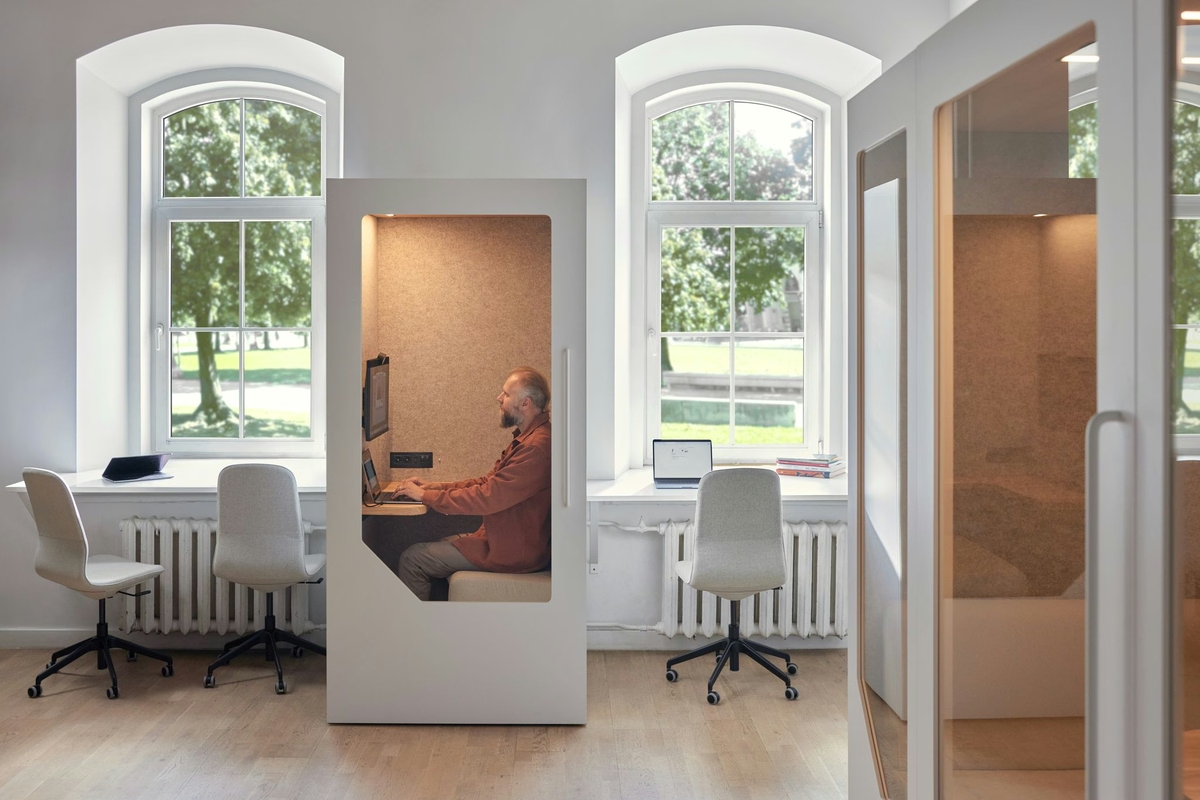
Everything so far assumes the meeting can actually be heard. The physical space shapes meeting quality more than most teams realize. A sharp agenda and a skilled facilitator cannot overcome a setting where people are straining to hear, getting interrupted, or worrying that the whole floor can follow a private conversation.

Open-plan offices are the usual culprit. They are designed for visibility and chance encounters, which is the opposite of what a focused discussion needs. The disruptions stack up:

  • Noise leaks in from across the floor.
  • People drop by mid-discussion.
  • A one-to-one becomes a performance for anyone within earshot.

Dedicated meeting space takes most of this off the table. Acoustic meeting pods and booths from Persy Booths give teams a quiet, private spot for focused discussions, one-to-ones, and video calls, free from the noise and interruptions of an open-plan office. The right environment does not run the meeting for you, but it removes the friction that a good agenda alone cannot.

Reducing Noise and Distractions

How much does noise actually cost a meeting? More than it seems. Open-plan offices are full of distractions at work, from hallway chatter and ringing phones to colleagues stopping by mid-sentence. Each interruption pulls focus, and regaining it takes longer than the interruption itself. For meetings, that means slower decisions and points repeated because half the room missed them. Background noise also makes video calls painful for the people on the other end. Cutting noise is one of the highest-return changes a team can make, because it protects the attention every other best practice depends on.

Dedicated Booths and Pods for Focused Meetings

Enclosed, acoustic spaces solve what open layouts cannot. A booth or pod gives a small group four walls, a door, and sound insulation, so the discussion stays in the room and the noise stays out. A dedicated team meeting booth seats a handful of people in a quiet setting built for focused conversation, which suits group discussions, planning sessions, and any talk that needs concentration. Because these spaces are self-contained, teams can grab one when they need it instead of booking a room weeks ahead. For offices short on meeting rooms, they add capacity where it is actually used.

Running Effective Hybrid and Virtual Meetings

Remote and hybrid setups raise the bar on everything covered so far. When some people are in the room and others are on a screen, small problems get amplified. Poor audio, a frozen camera, or a side conversation the remote attendees cannot hear will quietly exclude half the meeting.

The same fundamentals still apply. You need a clear purpose, a tight agenda, and named roles. Hybrid and virtual meetings just add a layer of logistics on top. Audio has to be clean, because nothing loses a remote participant faster than a room they cannot hear properly. Everyone should be visible and reachable, so remote voices carry the same weight as those in the room. And people taking calls need somewhere quiet to take them.

A two person phone booth gives someone a private, sound-insulated spot for a one-to-one or a client call, away from the open floor. The next two sections cover the basics that make hybrid meetings work.

Audio, Video, and Inclusion Basics

Clear audio is the foundation of any remote meeting, so use a proper microphone rather than a laptop in a noisy room, and ask people to mute when they are not speaking. Cameras on helps too, since seeing faces keeps people present and makes the conversation feel like a conversation. Inclusion takes deliberate effort in hybrid settings. Remote attendees miss the side glances and hallway context that in-room people share, so check in with them by name, watch the chat for raised points, and state decisions clearly for everyone on the call. The aim is a meeting where remote attendees can contribute as fully as the people in the room.

Quiet Spaces for One-to-Ones and Calls

Why do hybrid teams still need quiet rooms when so much happens online? Because the calls themselves need somewhere private to land. A sales call, a performance conversation, or a one-to-one cannot happen well at an open desk where neighbors hear every word. Background office noise also degrades the call for whoever is on the other end. A small, enclosed space fixes both, giving the person a quiet spot to focus and keeping sensitive conversations private. As more work happens on calls, the demand for these focused spaces only grows, and teams that provide them spare people the daily hunt for a free corner.

Common Mistakes That Make Meetings Ineffective

{{stats-1}}

Most ineffective meetings fail in predictable ways, and recognizing the patterns makes them easy to self-audit. Estimates of how people spend their work week suggest a large share of meetings are seen as unnecessary by the very people attending them. The usual offenders:

  • Meeting with no clear purpose, which leaves the group unsure what success even looks like.
  • A missing or ignored agenda, where the conversation wanders because nothing is steering it.
  • Inviting too many people, which slows decisions and tempts attendees to multitask.
  • Weak facilitation, which lets the meeting drift, the loudest voice dominate, and time slip away unmanaged.
  • No follow-up, where decisions are made but never recorded, owned, or acted on.

Run this list against your own recurring meetings. If you recognize two or three of these, you have found the changes worth making first.

{{summary}}

SHARE THIS ARTICLE
Copy link
Copy link
Twitter
Twitter
LinkedIn
LinkedIn
Key Takeaways
  • Have meetings only when live discussion or a decision is needed.
  • Set a clear purpose, desired outcome, and focused agenda.
  • Invite only the people who need to contribute, decide, or own actions.
  • Start and finish on time, keep discussion on topic.
  • Make decisions explicit and encourage balanced participation.
  • End with clear action items, one owner per task, and deadlines.
  • Send a short written recap after the meeting.
  • Use a quiet, private space to reduce distractions and improve focus.
  • For hybrid meetings, prioritize good audio and equal participation.
78%
of surveyed people claim that meetings prohibit them from getting work done (Atlassian survey on 5000 knowledge workers across 4 continents).
76%
agree they feel drained after a day full of meetings (Atlassian).
51%
of surveyed workers have to work overtime due to meeting overload (Atlassian).
Fact-checked finding
A study conducted in 2017 showed that executives spend an average of almost 23 hours per week in meetings nowadays, compared with just 10 hours per week in the 1960s.
Source:
Perlow, Noonan Hadley, and Eun, Harvard Business Review 95, no. 4
Fact-checked finding
Source:
Conclusion

Effective meetings come down to a repeatable formula: decide whether you need to meet, prepare an agenda and the right guest list, assign roles, run a focused discussion, and follow up with owned actions. The space matters too, since even a perfect plan struggles in a room full of noise. None of these changes is dramatic on its own. Adopted together and kept consistently, they turn meetings from a standing complaint into a tool your team relies on. Start with one habit, hold to it, and let the gains build from there.

Find a showroom near you
Visit one of our showrooms across the UK and Europe and compare booth models in person.
What to look for
  • Have meetings only when live discussion or a decision is needed.
  • Set a clear purpose, desired outcome, and focused agenda.
  • Invite only the people who need to contribute, decide, or own actions.
  • Start and finish on time, keep discussion on topic.
  • Make decisions explicit and encourage balanced participation.
  • End with clear action items, one owner per task, and deadlines.
  • Send a short written recap after the meeting.
  • Use a quiet, private space to reduce distractions and improve focus.
  • For hybrid meetings, prioritize good audio and equal participation.
What to avoid
  • Have meetings only when live discussion or a decision is needed.
  • Set a clear purpose, desired outcome, and focused agenda.
  • Invite only the people who need to contribute, decide, or own actions.
  • Start and finish on time, keep discussion on topic.
  • Make decisions explicit and encourage balanced participation.
  • End with clear action items, one owner per task, and deadlines.
  • Send a short written recap after the meeting.
  • Use a quiet, private space to reduce distractions and improve focus.
  • For hybrid meetings, prioritize good audio and equal participation.

FAQs (NBQs)

They’re a bit like FAQs, but we call them NBQs. No b*** questions. The questions you need to ask to make sure you aregetting value for money.

What is an effective meeting?

An effective meeting reaches a clear goal within its scheduled time and leaves everyone knowing what happens next. It has a stated purpose, the right people, and a concrete result, such as a decision or a plan, that others can act on. It is measured by outcomes rather than by how long or busy it felt.

How do you run effective meetings?

Run effective meetings by setting a clear purpose and agenda, inviting only the people who need to attend, and assigning roles for facilitation, notes, and decisions. Keep the discussion on track, start and finish on time, decide things out loud, and send a short written summary with owned actions and deadlines afterward.

What are the best practices for effective meetings?

The core best practices are starting and finishing on time, holding to a focused agenda, encouraging balanced participation, deciding out loud, and following up with documented actions. Preparation and clear roles support all of them. Used consistently, these habits shorten meetings and raise the quality of what gets decided.

How long should an effective meeting be?

Most meetings should run 25 to 50 minutes, and many can be shorter. Match the length to the objective rather than defaulting to a full hour. Shorter meetings hold attention better and force tighter discussion. If a topic genuinely needs more time, break it into focused segments with short breaks.

Do you really need a meeting, or could it be an email?

If the work needs live, back-and-forth discussion or a decision made together, meet. If it is a status update, an announcement, or input people can give on their own schedule, a message or shared document usually works better. Apply the same test to recurring meetings and cancel the ones that no longer earn their slot.

How does the meeting space affect running effective meetings?

The space sets the conditions for focus. Noise and interruptions from an open-plan office slow decisions and make video calls difficult, undermining even a well-planned agenda. A quiet, enclosed setting such as an acoustic booth or pod gives teams a private place for focused discussions and calls, which protects the attention every other best practice depends on.

Sometimes you just have to get away from the pressure. That's what breakout areas are for – and with the increasing noise and pressure of the modern workplace, it's no wonder they're so popular.

To give it a formal definition, a breakout area is a dedicated part of the office designed for informal, flexible use. Unlike rows of desks or enclosed meeting rooms, a breakout space offers employees somewhere to step away from their main workspace, relax, talk, and think differently.

In many offices, especially in the modern workplace, the traditional layout of desks and formal meeting rooms no longer suits the full range of tasks people perform during the working day. At Persy Booths, we see the importance of this every time we visit our customers. Employees need places to focus, collaborate, reset, and share ideas. That is why office breakout areas have become such an important feature of contemporary office space.

A well designed breakout area supports productivity, employee wellbeing and creativity. It helps teams feel comfortable, stress free and engaged. When planned properly, it can transform the overall workplace environment and reflect the style and culture of the business.

Key Takeaways

  • A breakout area is a flexible space within the office designed for relaxation, informal meetings and collaboration, separate from desks and formal meeting rooms.
  • In the modern workplace, breakout spaces help employees move between focused work, teamwork and short breaks more naturally during the working day.
  • Well planned office breakout areas support employee wellbeing, mental health and productivity by offering comfortable seating, natural light and a change of scene.
  • Flexible breakout spaces encourage creativity, informal learning and stronger team relationships without the need to book meeting rooms.
  • Good design matters: layout, soft seating, modular furniture, lighting and acoustics all play a key role in creating a well designed breakout area.
  • In open plan offices, breakout areas should be supported by acoustic solutions such as office pods and office noise reduction solutions to protect focused work.
  • When thoughtfully integrated into the wider office space, breakout areas help create a more inviting, productive and balanced work environment.

Breakout Area Meaning and Purpose in the Office

The term “office breakout area” simply refers to a shared space where employees can take a break from desks and spend time in a more relaxed setting. A "breakout room" is similar in meaning, although it can also refer to a semi-enclosed room used for small, informal meetings or quick catch-ups.

In everyday language, a breakout space is somewhere you can sit, speak freely, and work in a different way. It is usually easily accessible from the main workspace and does not require booking. The purpose is flexibility. People can use it for relaxation, short meetings, collaboration or quiet thinking.

In open plan offices, where large teams share the same office space, breakout areas provide much-needed variety. They give employees choice about where and how they work during the day, which is key to maintaining focus and motivation.

Open plan office breakout space with sofas and informal seating used for relaxed work and conversation

What Is a Breakout Area or Breakout Room?

So what is a breakout area or breakout room in practical terms?

It is a space designed with comfort and informality in mind. Unlike traditional meeting rooms, which often feature a boardroom table, screens and structured seating, breakout areas tend to include soft seating, sofas, chairs and sometimes high tables or benches.

The atmosphere is more inviting and flexible. Comfortable seating, relaxed rules and varied office furniture allow people to sit, rest, unwind or have quick informal meetings without the pressure of a formal setting. A breakout space may include bold colours, wood finishes, good quality lighting and even food or drink facilities.

The key difference is intent. Meeting rooms are structured and often booked in advance. A breakout area is suitable for spontaneous use, encouraging creativity and conversation without formality.

Team having an informal meeting in a breakout area with sofas and relaxed seating arrangement

Key Uses: Relaxation, Informal Meetings and Idea Generation

Office breakout areas serve multiple practical functions during the working day.

First, they support relaxation. A short break away from desks helps employees reset, protect mental health and return to focused work feeling refreshed. Even ten minutes in a lounge-style space can make a difference.

Second, they are ideal for informal meetings. Instead of booking meeting rooms for every quick discussion, team members can gather in a breakout space to speak openly and share updates. This flexible breakout spaces approach saves time and helps maintain productivity.

Third, breakout areas encourage idea generation. When employees move away from the main workspace and sit in a more relaxed setting, creativity often improves. The change of scene, natural light and inviting breakout furniture create a setting that suits brainstorming and collaboration.

Benefits of Office Breakout Areas for Employees and Teams

The importance of office breakout areas goes beyond aesthetics. They contribute directly to a healthier and more productive workplace.

A well designed breakout area supports employee wellbeing, strengthens team relationships and improves overall engagement. In many offices, the presence of flexible breakout spaces signals a shift in how business leaders think about work. It shows recognition that employees are not machines tied to desks, but people who need variety and comfort.

Wellbeing, Healthy Work and Reduced Stress

Breakout areas provide a valuable change of scene. Stepping away from screens and the main workspace gives employees permission to take a break and relax.

This small shift can have a positive impact on mental health. When people feel comfortable in their office environment, they are more likely to feel stress free and supported. Soft, comfortable seating and access to natural light both contribute to a healthier workspace. Relaxation does not mean losing productivity. On the contrary, short breaks in a breakout area can improve focus and make the working day more sustainable. Employees who can unwind and reset are more likely to return to their desks feeling productive and engaged. Recent research from the World Green Building Council shows that thoughtfully designed office environments that prioritise wellbeing can measurably improve productivity and employee health.

Employee taking a short break in a breakout area with plants and natural light in an open office

Collaboration, Informal Learning and Employee Engagement

Breakout spaces are also powerful tools for collaboration.

In open office layouts, employees may hesitate to speak freely at desks due to office distractions or concerns about disturbing others. A breakout area offers a more suitable space to talk, share ideas and build relationships.

Informal learning often happens in these settings. Team members exchange insights, solve problems together and develop new ideas in a relaxed environment. Research from CBRE’s 2026 Workplace & Occupancy Benchmarking Program shows that a majority of employees cite collaboration and connection with colleagues as primary reasons they come into the office, underscoring the value of spaces that support spontaneous interactions.

This strengthens workplace culture and improves communication across the business. When employees have access to a perfect breakout space that feels inviting and practical, they are more likely to spend time together, strengthening bonds within the team. Over time, this contributes to higher engagement and a more positive workplace.

Designing Effective Breakout Spaces in Offices

Creating an effective breakout area requires careful planning. It is not simply about adding sofas to an office. The layout, furniture, lighting and acoustics must all suit how people actually use the space.

The goal is to create a versatile and flexible area that complements the main workspace without disrupting focused work nearby.

Layout, Soft Seating and Modular Furniture

Position the breakout space so it is easily accessible but clearly separated from desks. This visual and physical distinction helps employees switch modes from focused work to relaxation or collaboration.

Soft seating is essential. Sofas, chairs and comfortable seating options encourage people to sit back and unwind. Modular furniture is particularly useful, as it allows teams to reconfigure the space depending on the task. Modular solutions can be moved to accommodate small meetings, solo work or larger group discussions.

Incorporate high tables, benches and a range of seating types to suit different preferences. Some employees may prefer to sit upright at high tables, while others choose lounge-style sofas. Good quality lighting and access to natural light will make the breakout area more inviting.

Zoning for Quiet Time, Social Space and Games Rooms

In larger offices, it is helpful to create distinct zones within office breakout areas.

For example, one zone may be designed for quiet time, with comfortable seating and minimal distractions. Another may act as a social space with high tables and bold colours to encourage conversation. A third might function as a games room for team bonding and relaxation.

In open plan settings, breakout areas often sit alongside those focused work zones. This is often known as the concept of a collaborative workspace, with businesses exploring the shift from traditional layouts to a more adaptable model. These focused work zones allow teams to move easily between open collaboration and enclosed concentration as needed. However, to ensure that ambient noise from more "social" breakout spaces doesn't distract others, companies often turn to solutions such as a work boothprivate office pods and portable meeting rooms to protect focus while maintaining a flexible office space. These private booths vary mainly by size and function:

Open office layout showing breakout seating, collaborative zones, and quiet work areas

Breakout Areas, Office Acoustics and Noise Management

In open plan offices, breakout areas must be carefully integrated into the wider environment. Without proper planning, conversations and games can raise the overall office noise level and disrupt focused work.

Understanding the impact of an open office layout is crucial when designing breakout areas that suit different team needs.

Keeping Breakout Areas Comfortable Without Disturbing Others

To maintain balance, consider the location of the breakout area relative to desks and quiet zones. Position it away from the most focus-intensive parts of the office.

Use materials that absorb sound, such as upholstered furniture, wood finishes and soft surfaces. These practical choices help manage the office noise level and reduce distractions.

Employers should also explore office noise reduction solutions to ensure that breakout spaces do not negatively impact the wider workspace. In some cases, installing a white noise machine can help mask background conversations and maintain a productive environment.

Being aware of common office distractions allows businesses to create zones that suit different working styles.

Using Booths, Pods and Sound Solutions Around Breakout Spaces

To support both collaboration and focus, combine breakout areas with enclosed solutions.

A nearby soundproof phone booth or two person phone booth can give employees a private space for calls, while private office pods provide a suitable setting for deep, focused work. A work booth positioned close to the breakout area can offer quick transitions between relaxation and concentration.

Monitoring usage with a room occupancy sensor helps businesses understand how breakout spaces and booths are used throughout the working day. This practical data supports better space planning over time.

When designed thoughtfully, breakout spaces and acoustic solutions work together to create a balanced open office that supports both collaboration and productivity.

Person taking a call inside a soundproof office booth near an open workspace

Real-world Office Breakout Area Examples and Ideas

Breakout areas can reflect company culture and business priorities. The design should suit the style, team structure and values of the organisation.

Relaxed Lounge-style Breakout Areas

A lounge-style breakout area might include sofas, soft seating, low tables and plants. Warm lighting, wood finishes and comfortable chairs create a calm, inviting feel.

This type of space is ideal for relaxation, informal chats and solo breaks. Employees can sit, rest and unwind in a calm environment that supports mental health and wellbeing.

Activity and Games-focused Breakout Spaces

Some businesses choose a more energetic approach. A games room style breakout space might feature high tables, benches and activity zones.

This example works well for creative teams that benefit from movement and social interaction. The key is to maintain a respectful environment where fun supports, rather than undermines, productivity.

Multi-purpose Breakout Corners Next to Collaborative Workspaces

In smaller offices, a compact breakout corner placed next to a collaborative workspace can act as an overflow area before or after meetings.

These flexible breakout spaces may include modular furniture, screens for quick presentations and comfortable seating for small groups – all useful elements when planning coworking ideas. Positioned near meeting rooms but distinct from desks, they provide a versatile solution for quick huddles.

Are you ready to break out?

Given all the advantages, it's little wonder that breakout areas are found in most modern offices. But, if they are not already in place, companies still have to find the budget to do it.

The good news is that it does not need to be expensive. We're proud of the fact that Persy Booths, for example, provide high-quality soundproof booths without a hefty price tag (especially since we sell direct and cut out the reseller markup). Also bear in mind that many of the other elements that go into making these zones both desirable and effective are inexpensive.

The truth is that employees appreciate them and most companies can easily justify them and benefit from them – break out areas do not have to break the bank.

Glass-walled modular meeting room with desks in an open office
Workplace
All articles
What Is a Modular Office? Benefits, Uses & Design Guide
August 21, 2026
Two colleagues focused on laptop work in an open office
Workplace
All articles
Productive Workplace Environment: Key Elements That Improve Focus and Performance
August 11, 2026
Workplace
All articles
Types of Workplaces: A Guide to Modern Work Environments
July 21, 2026
Employee distracted by phone while work screens with charts and data sit unattended in the background, showing divided attention and reduced focus
Workplace
All articles
What Factors Lead to Low Work Effort: Causes, Warning Signs and Solutions
July 17, 2026