We ship all across Europe. Standard products ship in 3 weeks.
Learn more
Menu
Get a Personalized Quote

Tell us what you're looking for and we'll create a quote tailored to your space, team and needs.

You'll receive:
  • A personalized recommendation
  • Clear pricing based on your request
  • A quick follow-up if we need more details
Persy One
For phone calls and video meetings.
€3999
(excl. shipping & VAT)
Persy Work
For deep-focus tasks and extended work sessions.
€4699
(excl. shipping & VAT)
Persy Two
For two-person meetings and video conferences.
€9499
(excl. shipping & VAT)
Persy Four
For small team catch-ups and discussions.
€11799
(excl. shipping & VAT)
You're All Set!
Thank you! Your request has been successfully submitted. We'll get back to you shortly with your personalized quote.
Close this window
Close this window
Oops! Something went wrong while submitting the form.
Download a Brochure
What you’ll find inside:
  • Product information
  • Product pricing
  • Technical information
Download a Brochure
You're All Set!
Thank you for your interest in Persy Booths! We've sent the brochure to the email address you provided. Please check your inbox for more information.
Oops! Something went wrong while submitting the form.
Download a Brochure
You're All Set!
Thank you for your interest in Persy Booths! We've sent the brochure to the email address you provided. Please check your inbox for more information.
Oops! Something went wrong while submitting the form.

Optimized Airflow Design
Each booth is engineered with strategically placed vents that maximize airflow efficiency, ensuring a comfortable environment for every user.

Consistent Temperature Management
Our advanced ventilation system helps regulate temperature, ensuring a comfortable climate that keeps you cool and focused during long sessions.

Whisper-Quiet Operation
Designed for a distraction-free experience, our ventilation system operates silently, allowing you to concentrate on your work without interruptions.

Soundproofed for confidentiality

Five Layers of Soundproofing Materials
Designed to absorb and reflect a wide range of sound frequencies, these layers work together to enhance overall sound isolation.

Rubber-Magnetic Door Seal
This seal ensures that even the smallest gaps are sealed tight, preventing sound leakage and enhancing privacy.

Double Acoustic-Grade Glass
Our high-quality glass not only allows natural light to enter but also significantly reduces sound transmission, maintaining a peaceful atmosphere.

Recycled PET Felt
This eco-friendly material absorbs sounds and echoes within the booth, ensuring a quiet environment for focused work and conversations.

Sound-treated ventilation channels
Every Persy Booth has sound traps in ventilation channels that absorb the sounds entering or escaping the booth through ventilation channels.

Disadvantages of Instant Messaging in the Workplace: Productivity, Communication and Privacy Challenges

Instant messaging tools promise faster communication, but they often come with hidden costs. This article explores the key disadvantages of instant messaging in the workplace and how to manage them.
Person on a video call in an open plan office workspace

Beep. Ping. Buzz. Hear that? That could be the sound of productivity draining away from your workforce...

The disadvantages of instant messaging in the workplace are becoming harder to ignore as more businesses rely on messaging apps for daily communication. While instant messaging offers clear advantages too – such as improved communication, increased efficiency, and enhanced productivity – it can also introduce distractions, miscommunication, and pressure that undermine productivity and clarity.

Companies like Persy Booths understand these challenges through their close work with organisations trying to balance digital communication with focused, productive environments. Thoughtful workspace design – such as using office pods – is increasingly part of the solution, helping employees step away from constant messaging noise and regain control over their attention. Since we are often the manufacturer of choice for those products, we often talk about the impact of instant messaging in the workplace – and thought we would share some of that experience with you.

{{key-takeaways}}

{{stats-1}}

Major Disadvantages of Instant Messaging in the Workplace

Stressed employee holding head in hands at office desk

The main disadvantages of using instant messaging in the workplace stem from how frequently instant messaging (IM) interrupts employees and reshapes communication habits across teams. Understanding these potential downsides helps organisations make an informed decision about adopting an instant messaging system for workplace communication. Instant messaging can facilitate short, sharp conversations and allow people to share information quickly, but other forms of communication may be more suitable for certain scenarios.

It also helps leaders recognise when other forms or communication methods may be more effective in supporting productivity and collaboration.

Constant Notifications and Workplace Distractions

One of the most immediate disadvantages of instant messaging is the constant stream of messenger notifications that distract employees throughout the day. Messages arrive from group chats, direct conversations, and sometimes external instant messenger platforms, creating a continuous layer of interruption that is difficult to ignore.

Even brief interruptions can significantly affect concentration. Research from the University of California Irvine shows that it can take over 20 minutes to fully refocus after a disruption, meaning that frequent interruptions can consume a large portion of the working day without employees realising it. Messenger notifications can be just as distracting as phone calls or incoming email, disrupting concentration on critical tasks.

In practice, this means that instant messaging systems often replace natural, structured communication with constant micro-interruptions. Instead of choosing when to communicate, employees are forced into a reactive mode where their attention is dictated by incoming messages rather than their priorities.

{{fact-1}}

Reduced Productivity Due to Message Overload

Instant messaging platforms can create the illusion of productivity because employees appear constantly active and responsive. However, this activity often masks a deeper issue – time is being spent managing conversations rather than completing meaningful work. Additionally, instant messaging is often more visible than email, capturing employees' attention more quickly, which can contribute to both productivity and distraction.

Message overload is particularly common in group chats where multiple contributors add comments, updates, and reactions. Important information becomes buried within long threads, forcing employees to search through previous conversations to find relevant details. This slows decision-making and increases frustration.

Over time, employees may spend hours each day reading, responding to, and organising messages. Instead of improving communication, messaging apps can result in generally wasting time on low-value exchanges that add little to actual business outcomes.

Instant messaging can lead to increased productivity, but only when managed effectively.

Miscommunication and Lack of Context

Instant communication relies heavily on short messages, which are often stripped of context. As a form of informal communication, instant messaging enables quick, casual exchanges within an organisation, but this informality can also contribute to misunderstandings. Without tone, facial expression, or body language, messages can easily be misunderstood, even when they are intended to be neutral or helpful.

This lack of nonverbal cues makes professional communication more fragile. The informal nature of instant messaging can sometimes lead to unprofessional conduct. A brief instruction may seem abrupt, while a delayed response may be interpreted as disinterest or disagreement. These misunderstandings can lead to unnecessary tension and repeated clarification.

Compared to phone calls or in-person discussions, instant messaging systems do not naturally convey nuance. As a result, employees may need to spend additional time explaining or correcting messages, which further reduces efficiency.

Increased Workplace Stress and Communication Pressure

Instant messaging creates an environment where employees feel expected to respond immediately. This expectation can be subtle but persistent, creating pressure that builds throughout the working day and sometimes extends into personal time.

Employees often monitor messaging apps continuously to avoid missing important updates. This constant vigilance makes it difficult to focus deeply on tasks or to take meaningful breaks. Over time, this contributes to increased stress and reduced job satisfaction.

The boundary between work and personal lives also becomes blurred, as instant messaging can extend work communications beyond normal hours, leading to burnout and anxiety. To address this, organisations should establish clear guidelines for the appropriate use of instant messaging, setting expectations for when and how these tools should be used. Setting an away message can help communicate employee availability and manage expectations, signalling when someone is offline or unavailable. Encouraging employees to limit instant messaging to normal business hours can support work-life balance and help reduce burnout and anxiety.

{{fact-2}}

Security and Privacy Concerns

Another key disadvantage of instant messaging is the risk it creates for the disclosure of sensitive company information. Messages can be shared quickly and easily, sometimes without proper consideration of who has access or how the information is protected, increasing the risk that confidential data could fall into the wrong hands or be intercepted by external parties. Sharing sensitive files over messaging platforms is particularly risky due to their vulnerability to hacking and malware.

Not all messaging platforms are properly encrypted, and some rely on public networks that may expose data to security threats. External instant messenger platforms such as social media platforms or tools like Facebook Messenger can introduce additional vulnerabilities when used for business communication. There are also vulnerabilities around passwords and authentication in instant messaging systems, increasing the risk of unauthorised access. Employees frequently use personal messaging apps for work-related tasks, risking security and compliance violations. The use of personal devices and third-party messaging platforms poses significant corporate compliance risks.

Organisations regulated by bodies such as the Securities and Exchange Commission must also consider compliance risks. Poor archiving functions or informal chats conducted outside approved systems can lead to legal consequences if records are not properly maintained. For sensitive or confidential information, other methods such as email, phone calls, or in-person meetings may be more appropriate. Inappropriate messaging can also become evidence in harassment or discrimination lawsuits.

Guidance from the National Cyber Security Centre in the UK highlights the importance of secure communication tools and practices. This reinforces the need for organisations to carefully evaluate how instant messaging is used within their operations. Organisations should establish clear policies for instant messaging use to mitigate its negative impacts.

How Instant Messaging Can Disrupt Workplace Focus
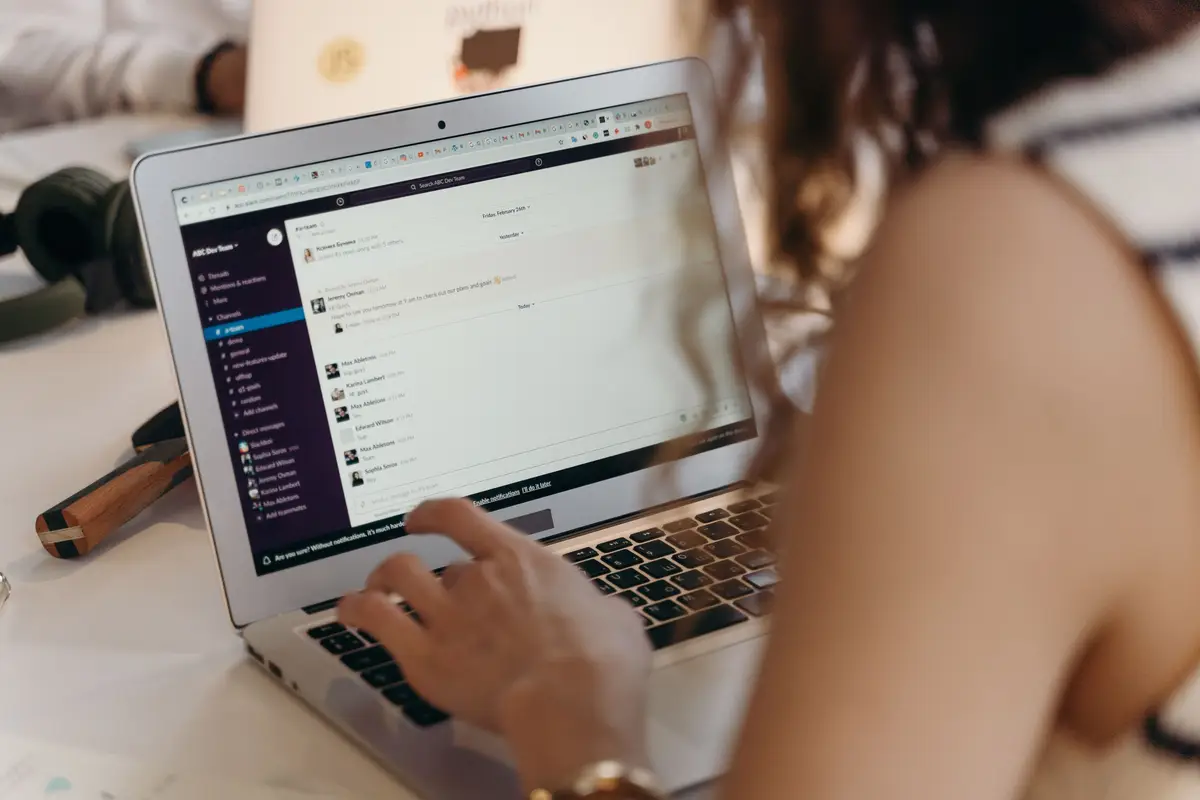
Employee scrolling through instant messages on a laptop in the workplace

The disadvantages of instant messaging in the workplace go beyond simple distractions and begin to affect how employees think, plan, and execute their work. As instant messaging becomes a primary tool for internal communication, it changes communication habits within organisations. Instant messaging also facilitates communication regardless of location, making it especially useful for remote or hybrid work environments.

This constant switching reduces the ability to engage in deep work, which is essential for complex problem-solving and high-quality output. Instead of working in focused blocks, employees operate in short bursts of attention that are repeatedly interrupted by incoming messages.

A recent report by Microsoft found that workers experience hundreds of interruptions per day through meetings, emails, and messages. This highlights how digital communication tools, including instant messaging platforms, contribute to a fragmented working experience.

Interruptions That Break Deep Work

Deep work requires sustained concentration over extended periods. Instant messaging disrupts this process by introducing frequent interruptions that pull attention away from the task at hand. In group chats, the presence of many voices can make communication unwieldy, with messages piling up and important information getting lost amid the noise.

Each incoming message creates a mental shift, even if the employee chooses not to respond immediately. The awareness of the message alone can reduce focus, making it harder to maintain momentum on complex tasks. Important announcements can also get overlooked in busy chat channels due to their informal nature.

Over time, these interruptions accumulate, reducing both efficiency and the quality of output. Employees may feel busy throughout the day but achieve less meaningful progress.

Multitasking That Reduces Work Quality

Instant messaging encourages multitasking by design. Employees often manage multiple chats with other members while simultaneously working on other tasks, believing that they are being efficient. Group chats can make it easier to share ideas and information quickly, but the constant influx of messages can also become overwhelming.

However, multitasking reduces accuracy and increases the likelihood of mistakes. Switching between conversations and tasks requires cognitive effort, which can lead to errors, missed details, and slower completion times.

Instead of improving communication, messaging apps create a constant background layer of distraction. This ultimately results in reduced work quality and increased rework, which can have a direct impact on business performance. Encouraging verbal communication can help reduce misunderstandings that arise from digital communication

Strategies to Reduce Instant Messaging Problems in the Workplace

Despite the disadvantages of instant messaging, businesses can take practical steps to reduce its negative impact. The goal is not to eliminate messaging platforms entirely, but to use them in a way that supports productivity rather than undermining it. Organisations can implement a whole range of strategies, including diversifying communication methods beyond instant messaging – such as incorporating voice and video calls – to help maintain personal connections among employees, especially those who work remotely.

Organisations that successfully manage instant messaging tend to combine clear communication policies with thoughtful workspace design and employee awareness. Establishing parameters and protocols around the use of instant messaging in an organisation is essential. Additionally, defining expectations for instant messaging conversations can help maintain professionalism. These strategies help create a more balanced approach to digital communication.

Creating Clear Messaging Guidelines

One of the most effective ways to manage instant messaging is to establish clear guidelines for its use as part of the internal communication infrastructure. These guidelines should define when messaging is appropriate, expected response times, and when other communication methods should be used instead. It's also important to address archiving and searching for past conversations, as some messaging apps lack effective archiving functions, making it difficult to retrieve past conversations or decisions at a future date or in a new session. Instant messaging often lacks proper record-keeping, which can complicate the search for past decisions.

For example, employees should understand that not all messages require an immediate response. Some conversations can wait, while others may be better handled through phone calls or scheduled meetings.

Introducing quiet hours or designated focus periods can also help reduce interruptions. Creating separate channels for non-work-related conversations can help limit distractions during work hours. When employees understand and follow such policies, they are better able to protect their time and maintain productivity.

Encouraging Focus-Friendly Workspaces

Workspace design plays a critical role in addressing the disadvantages of instant messaging. In open-plan offices, constant noise and activity can amplify the impact of digital distractions, making it harder for employees to concentrate.

Providing quiet areas where employees can work without interruption allows them to escape the constant flow of messages. These spaces support deep work and help employees regain control over their attention.

Many organisations are turning to solutions such as office pods to create dedicated focus zones. These environments reduce both physical and digital distractions, enabling employees to work more effectively.

Providing Private Spaces for Calls and Messaging

While instant messaging can be inefficient, communication is still essential. Employees need spaces where they can communicate clearly without disturbing others or being distracted themselves.

Private spaces allow employees to handle quick calls or focused conversations that might otherwise take place in long messaging threads. This can significantly improve clarity and reduce the need for back-and-forth messages.

Using a work booth provides a practical solution. Employees can step into a quiet environment to communicate effectively, then return to focused work without ongoing interruptions.

Designing Offices That Support Focus and Better Communication
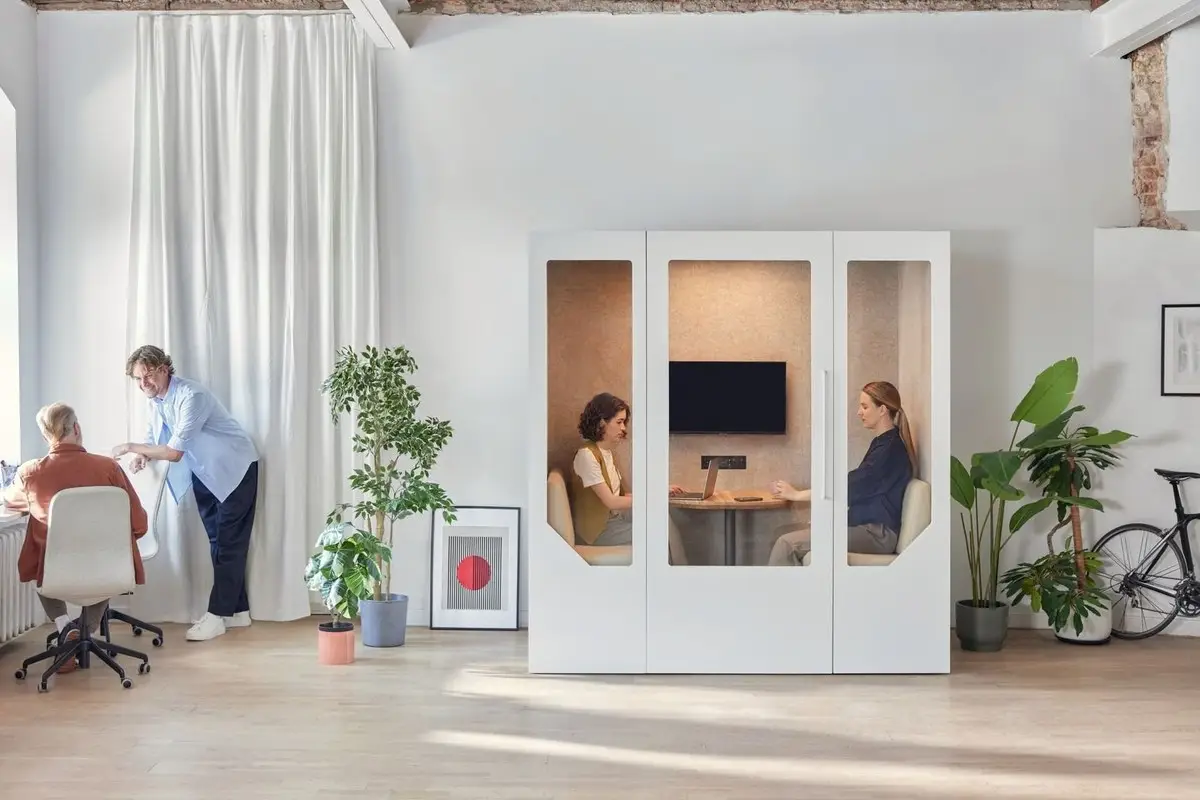
Two employees in a Persy meeting pod in an open plan office

The disadvantages of instant messaging in the workplace are closely linked to how offices are designed. When physical environments do not support focus, employees often rely more heavily on digital communication tools like Skype, Facebook Messenger, and Google Hangouts, which can exacerbate the problem. While instant messaging platforms facilitate quick, efficient conversations among team members, they also increase camaraderie and connection among employees. Additionally, instant messaging can help improve communication and collaboration in a business environment.

A well-designed office creates a balance between collaboration and concentration. It provides different spaces for different types of work, allowing employees to choose the environment that best suits their task. For sensitive or confidential information, employees may prefer other methods such as email, phone calls, or in-person meetings as alternatives to instant messaging.

Balancing Collaboration and Quiet Work Areas

Modern offices should combine collaborative zones with private focus areas. Collaborative spaces encourage teamwork, idea sharing, and spontaneous discussions—often referred to as 'water cooler' conversations—that can improve innovation and foster informal communication.

At the same time, quiet areas are essential for tasks that require concentration. Without these spaces, employees may rely more on messaging apps to communicate, even when a quick conversation would be more effective. However, instant messaging can also enhance employee engagement and decrease turnover by fostering informal connections, replicating some benefits of water cooler interactions in remote or hybrid settings.

Forward-thinking office planners often talk about "collaborative workspaces", which describes the practice of giving employees flexibility in how they work – and how that leads to better outcomes. It simply means creating spaces that allow them to choose when to collaborate and when to focus.

Creating Spaces for Quick Meetings Instead of Long Chat Threads

Many messaging conversations become unnecessarily long because employees do not have access to suitable meeting spaces. As a result, discussions that could be resolved quickly in person continue across multiple messages and threads.

Providing dedicated meeting areas encourages employees to communicate directly. This reduces confusion and allows for faster decision-making.

Using a team meeting booth enables small groups to meet quickly and efficiently. These spaces support clear communication and reduce reliance on lengthy digital conversations.

{{summary}}

SHARE THIS ARTICLE
Copy link
Copy link
Twitter
Twitter
LinkedIn
LinkedIn
Key Takeaways

• Constant messenger notifications interrupt focus and fragment attention, making deep work difficult and inefficient.
• Message overload leads to time lost in chats rather than meaningful, outcome-driven work.
• Instant communication often lacks tone and context, increasing the risk of misunderstandings.
• Always-on expectations create stress and pressure for employees to respond immediately.
• Security risks increase when sensitive information is shared across messaging platforms without proper safeguards.

23 min
Average time to regain full focus after a single interruption (University of California, Irvine)
6.5 hrs
Average working hours lost per week by office employees due to interruptions and recovery time (Hubstaff, 2024)
$650B
Estimated annual cost of workplace distractions to U.S. businesses in lost productivity
Fact-checked finding
The average employee receives a meeting invite, email, or chat ping every 2 minutes during the working day. 59% of workers report being unable to maintain focus for even a 30-minute stretch.
Source:
Microsoft 2025 Work Trend Index
Fact-checked finding
80% of workers report they don't have enough time or energy to do their job effectively, a direct result of the fragmented, interruption-heavy environment created by digital communication tools.
Source:
Microsoft 2025 Work Trend Index
Conclusion

The disadvantages of instant messaging in the workplace are clear. While messaging platforms offer speed and convenience, they also introduce distractions, reduce productivity, and create communication challenges that can affect both individuals and organisations.

Constant notifications disrupt focus, message overload wastes time, and the lack of context in short messages increases the risk of misunderstanding. Employees also face pressure to respond quickly, which can lead to stress and burnout. At the same time, security and privacy risks must be carefully managed.

However, these challenges are not unavoidable. By implementing clear communication guidelines, encouraging better use of alternative tools, and designing offices that support both focus and collaboration, businesses can strike a better balance.

Ultimately, instant messaging should support work, not dominate it. When used thoughtfully, alongside well-designed environments, it can become a useful tool rather than a constant source of distraction.

Find a showroom near you
Visit one of our showrooms across the UK and Europe and compare booth models in person.
What to look for

• Constant messenger notifications interrupt focus and fragment attention, making deep work difficult and inefficient.
• Message overload leads to time lost in chats rather than meaningful, outcome-driven work.
• Instant communication often lacks tone and context, increasing the risk of misunderstandings.
• Always-on expectations create stress and pressure for employees to respond immediately.
• Security risks increase when sensitive information is shared across messaging platforms without proper safeguards.

What to avoid

• Constant messenger notifications interrupt focus and fragment attention, making deep work difficult and inefficient.
• Message overload leads to time lost in chats rather than meaningful, outcome-driven work.
• Instant communication often lacks tone and context, increasing the risk of misunderstandings.
• Always-on expectations create stress and pressure for employees to respond immediately.
• Security risks increase when sensitive information is shared across messaging platforms without proper safeguards.

FAQs (NBQs)

They’re a bit like FAQs, but we call them NBQs. No b*** questions. The questions you need to ask to make sure you aregetting value for money.

What are the main disadvantages of instant messaging in the workplace?

The main disadvantages include constant distractions, reduced productivity, miscommunication, and increased stress. Employees are frequently interrupted by messages, and conversations often lack context, which can lead to misunderstandings and inefficiencies in business communication.

How does instant messaging affect employee productivity?

Instant messaging affects productivity by interrupting focus and encouraging multitasking. Employees spend time managing messages rather than completing tasks, which slows progress and reduces the quality of work over time.

Can instant messaging cause miscommunication at work?

Yes, instant messaging can easily lead to miscommunication. Without tone, body language, or context, messages may be misunderstood, requiring additional clarification and increasing the likelihood of errors.

How can companies reduce distractions caused by instant messaging?

Companies can reduce distractions by setting clear communication policies, introducing quiet hours, and encouraging the use of alternative communication methods. Providing dedicated focus spaces also helps employees maintain concentration.

Are there security risks associated with workplace instant messaging?

There are significant security risks if messaging platforms are not properly managed. Sensitive information may be exposed, particularly when using external platforms or unsecured networks, making it important to use properly encrypted systems.

What workplace solutions help reduce instant messaging overload?

Balanced communication practices combined with thoughtful office design are key solutions. Providing private spaces, quiet areas, and alternatives to messaging helps reduce overload and supports a more productive working environment.

Sometimes you just have to get away from the pressure. That's what breakout areas are for – and with the increasing noise and pressure of the modern workplace, it's no wonder they're so popular.

To give it a formal definition, a breakout area is a dedicated part of the office designed for informal, flexible use. Unlike rows of desks or enclosed meeting rooms, a breakout space offers employees somewhere to step away from their main workspace, relax, talk, and think differently.

In many offices, especially in the modern workplace, the traditional layout of desks and formal meeting rooms no longer suits the full range of tasks people perform during the working day. At Persy Booths, we see the importance of this every time we visit our customers. Employees need places to focus, collaborate, reset, and share ideas. That is why office breakout areas have become such an important feature of contemporary office space.

A well designed breakout area supports productivity, employee wellbeing and creativity. It helps teams feel comfortable, stress free and engaged. When planned properly, it can transform the overall workplace environment and reflect the style and culture of the business.

Key Takeaways

  • A breakout area is a flexible space within the office designed for relaxation, informal meetings and collaboration, separate from desks and formal meeting rooms.
  • In the modern workplace, breakout spaces help employees move between focused work, teamwork and short breaks more naturally during the working day.
  • Well planned office breakout areas support employee wellbeing, mental health and productivity by offering comfortable seating, natural light and a change of scene.
  • Flexible breakout spaces encourage creativity, informal learning and stronger team relationships without the need to book meeting rooms.
  • Good design matters: layout, soft seating, modular furniture, lighting and acoustics all play a key role in creating a well designed breakout area.
  • In open plan offices, breakout areas should be supported by acoustic solutions such as office pods and office noise reduction solutions to protect focused work.
  • When thoughtfully integrated into the wider office space, breakout areas help create a more inviting, productive and balanced work environment.

Breakout Area Meaning and Purpose in the Office

The term “office breakout area” simply refers to a shared space where employees can take a break from desks and spend time in a more relaxed setting. A "breakout room" is similar in meaning, although it can also refer to a semi-enclosed room used for small, informal meetings or quick catch-ups.

In everyday language, a breakout space is somewhere you can sit, speak freely, and work in a different way. It is usually easily accessible from the main workspace and does not require booking. The purpose is flexibility. People can use it for relaxation, short meetings, collaboration or quiet thinking.

In open plan offices, where large teams share the same office space, breakout areas provide much-needed variety. They give employees choice about where and how they work during the day, which is key to maintaining focus and motivation.

Open plan office breakout space with sofas and informal seating used for relaxed work and conversation

What Is a Breakout Area or Breakout Room?

So what is a breakout area or breakout room in practical terms?

It is a space designed with comfort and informality in mind. Unlike traditional meeting rooms, which often feature a boardroom table, screens and structured seating, breakout areas tend to include soft seating, sofas, chairs and sometimes high tables or benches.

The atmosphere is more inviting and flexible. Comfortable seating, relaxed rules and varied office furniture allow people to sit, rest, unwind or have quick informal meetings without the pressure of a formal setting. A breakout space may include bold colours, wood finishes, good quality lighting and even food or drink facilities.

The key difference is intent. Meeting rooms are structured and often booked in advance. A breakout area is suitable for spontaneous use, encouraging creativity and conversation without formality.

Team having an informal meeting in a breakout area with sofas and relaxed seating arrangement

Key Uses: Relaxation, Informal Meetings and Idea Generation

Office breakout areas serve multiple practical functions during the working day.

First, they support relaxation. A short break away from desks helps employees reset, protect mental health and return to focused work feeling refreshed. Even ten minutes in a lounge-style space can make a difference.

Second, they are ideal for informal meetings. Instead of booking meeting rooms for every quick discussion, team members can gather in a breakout space to speak openly and share updates. This flexible breakout spaces approach saves time and helps maintain productivity.

Third, breakout areas encourage idea generation. When employees move away from the main workspace and sit in a more relaxed setting, creativity often improves. The change of scene, natural light and inviting breakout furniture create a setting that suits brainstorming and collaboration.

Benefits of Office Breakout Areas for Employees and Teams

The importance of office breakout areas goes beyond aesthetics. They contribute directly to a healthier and more productive workplace.

A well designed breakout area supports employee wellbeing, strengthens team relationships and improves overall engagement. In many offices, the presence of flexible breakout spaces signals a shift in how business leaders think about work. It shows recognition that employees are not machines tied to desks, but people who need variety and comfort.

Wellbeing, Healthy Work and Reduced Stress

Breakout areas provide a valuable change of scene. Stepping away from screens and the main workspace gives employees permission to take a break and relax.

This small shift can have a positive impact on mental health. When people feel comfortable in their office environment, they are more likely to feel stress free and supported. Soft, comfortable seating and access to natural light both contribute to a healthier workspace. Relaxation does not mean losing productivity. On the contrary, short breaks in a breakout area can improve focus and make the working day more sustainable. Employees who can unwind and reset are more likely to return to their desks feeling productive and engaged. Recent research from the World Green Building Council shows that thoughtfully designed office environments that prioritise wellbeing can measurably improve productivity and employee health.

Employee taking a short break in a breakout area with plants and natural light in an open office

Collaboration, Informal Learning and Employee Engagement

Breakout spaces are also powerful tools for collaboration.

In open office layouts, employees may hesitate to speak freely at desks due to office distractions or concerns about disturbing others. A breakout area offers a more suitable space to talk, share ideas and build relationships.

Informal learning often happens in these settings. Team members exchange insights, solve problems together and develop new ideas in a relaxed environment. Research from CBRE’s 2026 Workplace & Occupancy Benchmarking Program shows that a majority of employees cite collaboration and connection with colleagues as primary reasons they come into the office, underscoring the value of spaces that support spontaneous interactions.

This strengthens workplace culture and improves communication across the business. When employees have access to a perfect breakout space that feels inviting and practical, they are more likely to spend time together, strengthening bonds within the team. Over time, this contributes to higher engagement and a more positive workplace.

Designing Effective Breakout Spaces in Offices

Creating an effective breakout area requires careful planning. It is not simply about adding sofas to an office. The layout, furniture, lighting and acoustics must all suit how people actually use the space.

The goal is to create a versatile and flexible area that complements the main workspace without disrupting focused work nearby.

Layout, Soft Seating and Modular Furniture

Position the breakout space so it is easily accessible but clearly separated from desks. This visual and physical distinction helps employees switch modes from focused work to relaxation or collaboration.

Soft seating is essential. Sofas, chairs and comfortable seating options encourage people to sit back and unwind. Modular furniture is particularly useful, as it allows teams to reconfigure the space depending on the task. Modular solutions can be moved to accommodate small meetings, solo work or larger group discussions.

Incorporate high tables, benches and a range of seating types to suit different preferences. Some employees may prefer to sit upright at high tables, while others choose lounge-style sofas. Good quality lighting and access to natural light will make the breakout area more inviting.

Zoning for Quiet Time, Social Space and Games Rooms

In larger offices, it is helpful to create distinct zones within office breakout areas.

For example, one zone may be designed for quiet time, with comfortable seating and minimal distractions. Another may act as a social space with high tables and bold colours to encourage conversation. A third might function as a games room for team bonding and relaxation.

In open plan settings, breakout areas often sit alongside those focused work zones. This is often known as the concept of a collaborative workspace, with businesses exploring the shift from traditional layouts to a more adaptable model. These focused work zones allow teams to move easily between open collaboration and enclosed concentration as needed. However, to ensure that ambient noise from more "social" breakout spaces doesn't distract others, companies often turn to solutions such as a work boothprivate office pods and portable meeting rooms to protect focus while maintaining a flexible office space. These private booths vary mainly by size and function:

Open office layout showing breakout seating, collaborative zones, and quiet work areas

Breakout Areas, Office Acoustics and Noise Management

In open plan offices, breakout areas must be carefully integrated into the wider environment. Without proper planning, conversations and games can raise the overall office noise level and disrupt focused work.

Understanding the impact of an open office layout is crucial when designing breakout areas that suit different team needs.

Keeping Breakout Areas Comfortable Without Disturbing Others

To maintain balance, consider the location of the breakout area relative to desks and quiet zones. Position it away from the most focus-intensive parts of the office.

Use materials that absorb sound, such as upholstered furniture, wood finishes and soft surfaces. These practical choices help manage the office noise level and reduce distractions.

Employers should also explore office noise reduction solutions to ensure that breakout spaces do not negatively impact the wider workspace. In some cases, installing a white noise machine can help mask background conversations and maintain a productive environment.

Being aware of common office distractions allows businesses to create zones that suit different working styles.

Using Booths, Pods and Sound Solutions Around Breakout Spaces

To support both collaboration and focus, combine breakout areas with enclosed solutions.

A nearby soundproof phone booth or two person phone booth can give employees a private space for calls, while private office pods provide a suitable setting for deep, focused work. A work booth positioned close to the breakout area can offer quick transitions between relaxation and concentration.

Monitoring usage with a room occupancy sensor helps businesses understand how breakout spaces and booths are used throughout the working day. This practical data supports better space planning over time.

When designed thoughtfully, breakout spaces and acoustic solutions work together to create a balanced open office that supports both collaboration and productivity.

Person taking a call inside a soundproof office booth near an open workspace

Real-world Office Breakout Area Examples and Ideas

Breakout areas can reflect company culture and business priorities. The design should suit the style, team structure and values of the organisation.

Relaxed Lounge-style Breakout Areas

A lounge-style breakout area might include sofas, soft seating, low tables and plants. Warm lighting, wood finishes and comfortable chairs create a calm, inviting feel.

This type of space is ideal for relaxation, informal chats and solo breaks. Employees can sit, rest and unwind in a calm environment that supports mental health and wellbeing.

Activity and Games-focused Breakout Spaces

Some businesses choose a more energetic approach. A games room style breakout space might feature high tables, benches and activity zones.

This example works well for creative teams that benefit from movement and social interaction. The key is to maintain a respectful environment where fun supports, rather than undermines, productivity.

Multi-purpose Breakout Corners Next to Collaborative Workspaces

In smaller offices, a compact breakout corner placed next to a collaborative workspace can act as an overflow area before or after meetings.

These flexible breakout spaces may include modular furniture, screens for quick presentations and comfortable seating for small groups – all useful elements when planning coworking ideas. Positioned near meeting rooms but distinct from desks, they provide a versatile solution for quick huddles.

Are you ready to break out?

Given all the advantages, it's little wonder that breakout areas are found in most modern offices. But, if they are not already in place, companies still have to find the budget to do it.

The good news is that it does not need to be expensive. We're proud of the fact that Persy Booths, for example, provide high-quality soundproof booths without a hefty price tag (especially since we sell direct and cut out the reseller markup). Also bear in mind that many of the other elements that go into making these zones both desirable and effective are inexpensive.

The truth is that employees appreciate them and most companies can easily justify them and benefit from them – break out areas do not have to break the bank.

Workplace
All articles
Types of Workplaces: A Guide to Modern Work Environments
July 21, 2026
Employee distracted by phone while work screens with charts and data sit unattended in the background, showing divided attention and reduced focus
Workplace
All articles
What Factors Lead to Low Work Effort: Causes, Warning Signs and Solutions
July 17, 2026
Two Persy Booths office pods integrated into a modern open plan office with desks and chairs
Workplace
All articles
Office Furniture Ideas: Practical Setups for Home and Small Spaces
May 12, 2026
Open hybrid office with employees collaborating at a shared table and working individually at desks and quiet work areas
Workplace
All articles
Best Workplace Management Platform: The Ultimate Guide for 2026
May 9, 2026